Linux fluency is not only knowing the operating system. It is knowing how to learn inside it, using the documentation systems that have been part of Unix culture from the beginning.
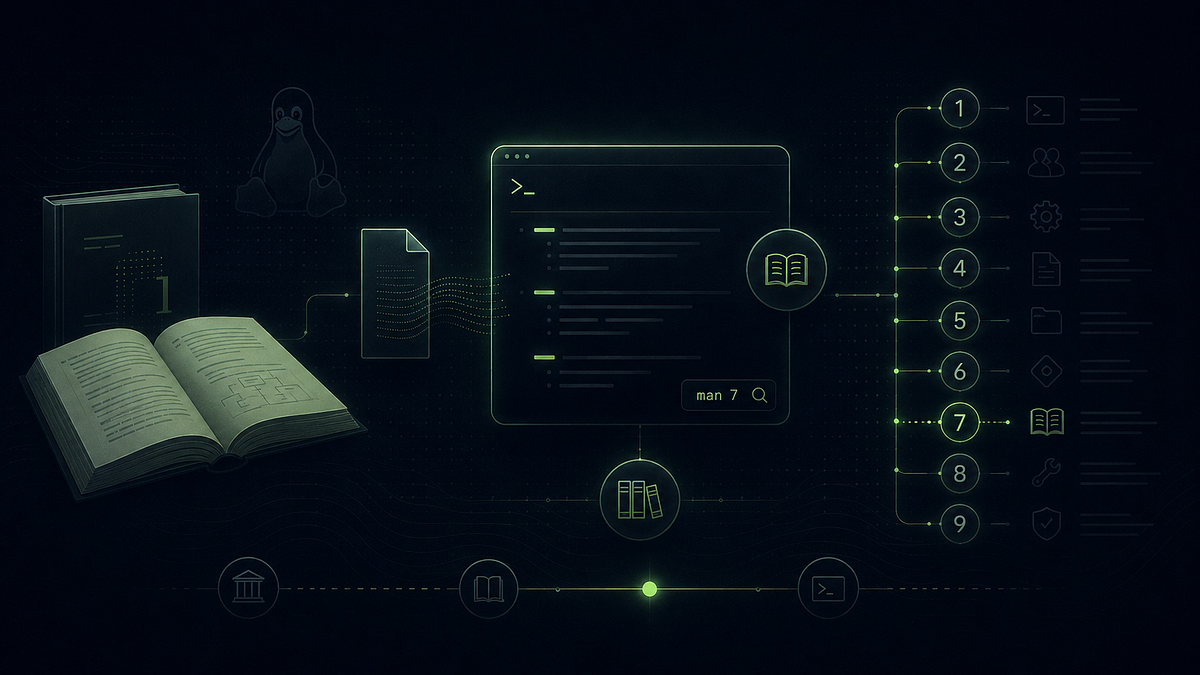
Many people, whether they like to admit it or not, have struggled at some point or another in the process of learning Linux. Even the people that are reading this that think that they’re done learning GNU/Linux the OS, are still going to have to be learning within the GNU/Linux OS forever.
What do I mean by this? One may become familiar with things like static vs dynamically compiled binaries, the ELF binary structure, the difference between user-space and kernel-space. This type of knowledge — knowledge about the operation of things related to the functioning of the operating system itself — changes over time but tends to move at a pace glacial enough that someone that is extremely well versed in the matter can to some reasonable degree make a statement like “I know Linux.”
On the other hand, there is a completely different kind of fluency in Linux that refers to the ability, for example, to clean and explore tabular data like a CSV in Linux or to fluidly “slice & dice” log files via the command line to summarize runtime errors in Linux.
What if I told you that these two perennial problems of the Linux user — that of having (1) to become familiar with the conceptual underpinnings of Linux and (2) having to learn things on the fly to complete procedural tasks within the Linux environment — actually have a single remedy, and that remedy is a uniquely Linux concoction?
The contents of part I are going to go over the structure of the various documentation frameworks, such as the man pages, that are available in Linux and why that structure matters. In this article we’re going to go back to the basics, but we’re going to go deep.
In part II of the article we’re going to dive right in and check out your system, make sure you have the documentation you need, that it’s correct, and how to start thrashing around a Linux terminal like Dennis Ritchie himself.
By the end I’m going to have hopefully made a pretty convincing point that the best way to be the claim that what I’m about to share with you is, in fact, the only way to ever truly know Linux.
Unix Programmer’s Manual I & The Birth of Unix
Dennis Richie & Ken Thompson’s work was published in tandem with the Unix operating system itself, the two sharing a birthday of November 3, 1971.
The original Unix Programmer’s manual included a small amount of system call and executable manuals and was far from comprehensive manual of the Unix I OS. Additionally, the entire thing was distributed as a printed document and had to be ordered and mailed out!
Also worth noting was that at this time, there was no man command due to the lack of a need for a way to view the manual pages on the computer. This will soon change.
Unix Programmer’s Manual II & The Intro of man
By the time the second Unix Programmer’s Manual had come out the entire manual was now available on networked repositories.
With the digital publication of the man pages and the rendering capabilities developed in the man command which to more or less rendered roff files that had, in the past, been sent to physical printers instead to a tty for interactive navigation using a pager, Unix v2 was now the the first OS that had ever attempted to be fully self-documenting and provide that documentation in some fashion with the OS itself. Unix v2 came as a complete package.
What began as workplace pain point that Richie & Thompson had begrudgingly started prior to the release of the original Unix had been imbued with a enough passion and discipline by the time the second release had come out it had basically matured into the direct descendent of the man pages we look at today.
In addition to the new network-hosted repositories with Unix II was a new command: man. The man command formatted the text for the screen and displayed them using what is called a pager, which is the program that allows you to scroll up and down the man pages or search through them using a search phrase while displayed on the screen. The default pager on most modern Linux distributions is less but most is a common, more feature rich alternative.
MAN(1)                     Manual pager utils                     MAN(1)
NAME

       man - an interface to the system reference manuals

SYNOPSIS

       man [man options] [[section] page ...] ...
       man -k [apropos options] regexp ...
       man -K [man options] [section] term ...
       man -f [whatis options] page ...
       man -l [man options] file ...
       man -w|-W [man options] page ...
DESCRIPTION
       man is the system's manual pager.  Each page argument given to
       man is normally the name of a program, utility or function.  The
       manual page associated with each of these arguments is then found
       and displayed.  A section, if provided, will direct man to look
       only in that section of the manual.  The default action is to
       search in all of the available sections following a pre-defined
       order (see DEFAULTS), and to show only the first page found, even
       if page exists in several sections.
       The table below shows the section numbers of the manual followed
       by the types of pages they contain.
       1   Executable programs or shell commands
       2   System calls (functions provided by the kernel)
       3   Library calls (functions within program libraries)
       4   Special files (usually found in /dev)
       5   File formats and conventions, e.g. /etc/passwd
       6   Games
       7   Miscellaneous (including macro packages and conventions),
           e.g. man(7), groff(7)
       8   System administration commands (usually only for root)
       9   Kernel routines [Non standard]
       A manual page consists of several sections.

       Conventional section names include NAME, SYNOPSIS, CONFIGURATION,
       DESCRIPTION, OPTIONS, EXIT STATUS, RETURN VALUE, ERRORS,
       ENVIRONMENT, FILES, VERSIONS, CONFORMING TO, NOTES, BUGS,
       EXAMPLE, AUTHORS, and SEE ALSO.
This “man page” is an example of the manual page for the command man. I have bolded some sections to which I would like to direct your attention.
Here we see the 9 man sections enumerated. It also is quick to name some commonly used section names such as DESCRIPTION, OPTIONS, SEE ALSO, etc. We also see some of those section names in action in the man man page itself: NAME, SYNOPSIS, and DESCRIPTION.
With the release of the Unix Programmer’s Manual v2 the follow traditions had been established:
- Manual page corpus will be divided up into sections that cover the breadth of working within the operating system including configuration files, shell commands, and system calls.
- It is the responsibility of the operating system distributor to package and distribute the correct documentation with its corresponding software.
- Manual pages are typically divided up into familiar section names, most of which were already established this by this point including NAME, DESCRIPTION, SEE ALSO, etc.
The man-db & man-pages Packages
Now I’ll go out on a limb and assume none of you are running Unix proper at home (or anywhere) but instead one of it’s direct descendants like a distribution of the much loved GNU/Linux.
While the details of how GNU/Linux emerged from the world of Unix is beyond the scope of this article, all you need to know for the sake of this article is that the package man-db makes this mostly possible, and is more or less a port of the original Unix manual pager utilities package for GNU/Linux.
If the man-db package is the paging utilities that let you scroll up and down and search in a man page, then man-pages is the packages that contains the actual man pages that get fed into the pager: the raw, un-rendered man pages.
sudo apt install man-db man-pages
sudo dnf install man-db man-pages
“Wait… who even makes the man pages?”
Now what you see when you type man man may not match exactly what that snippet above shown shows. We might ask, for good reason, why that is?
As it turns out the answer is extremely interesting:
One of the most fascinating features of the tradition of man pages is that the tools and traditions surrounding them were established by the system coders of Unix. However, these exact same tools have been co-opted by the coders that write programs for Unix.
That being said, it really depends on which man page you’re looking up as to whether it was written and distributed by your Linux distribution or whether it was written by the coder(s) of the application you’ve downloaded.
Here’s some examples:
man 1 man — distributed by your Linux distribution

man 3 printf — distributed by your Linux distribution

man 1 jq — distributed with the jq package

man 1 nmap — distributed with the nmap package
Those man pages that are distributed by your Linux distribution are installed in the man-pages package described in the above section. The rest are installed by the package that installs the binary executable or libraries in the packages you install in other packages.
Notable man pages
From man-db:
man 1 man
man 5 manpath
man 1 apropos
man 1 whatis
Others:
man 7 man-pages
man 1 info
References
- Unix Programmer’s Manual v1 (1971) in full
- Man Page Template from the official repository
- Official man-db Gitlab repository